
Version 4 · August 2026
Version 4 is here.
It still looks like Via.
A great deal changed underneath, and none of it moved where the buttons are. Everything you already know how to do works the way it always did. What is new sits alongside it, for the days you need it.
The big three
The changes you will notice first
Getting data in and out, taking a booking, and keeping the rota straight — the three jobs that take up most of a coordinator's week.
Moving data around
Seconds, not an afternoon
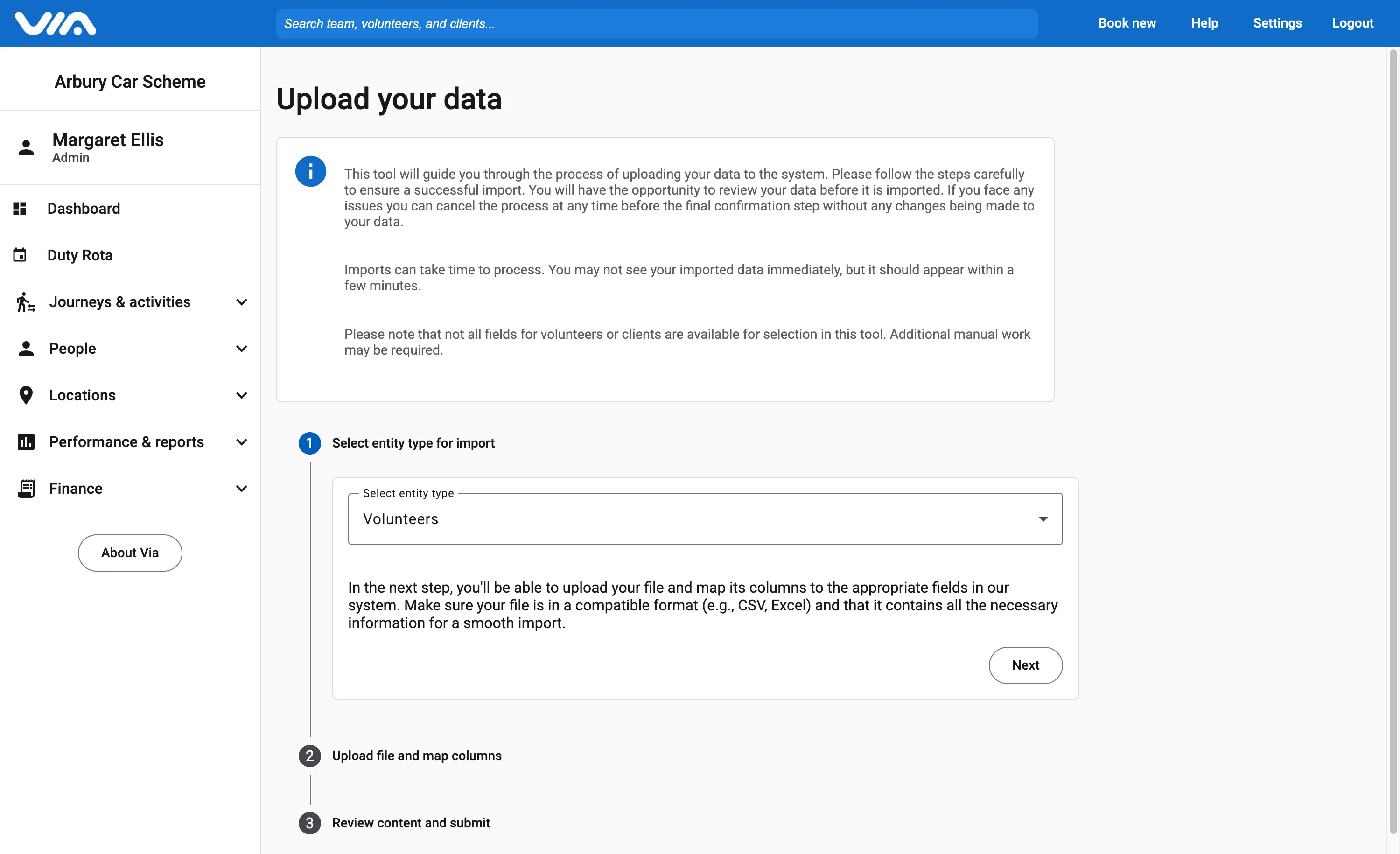
The import tool now works in both directions. Bring a spreadsheet in, or take your passengers, volunteers and journeys back out again in whatever shape the person asking for them needs.
It is the same three steps as before — pick what you are moving, hand over the file, check the columns line up — and you see exactly what is about to happen before any of it lands.
Taking a booking
Or just start typing, and fill in the details as you go
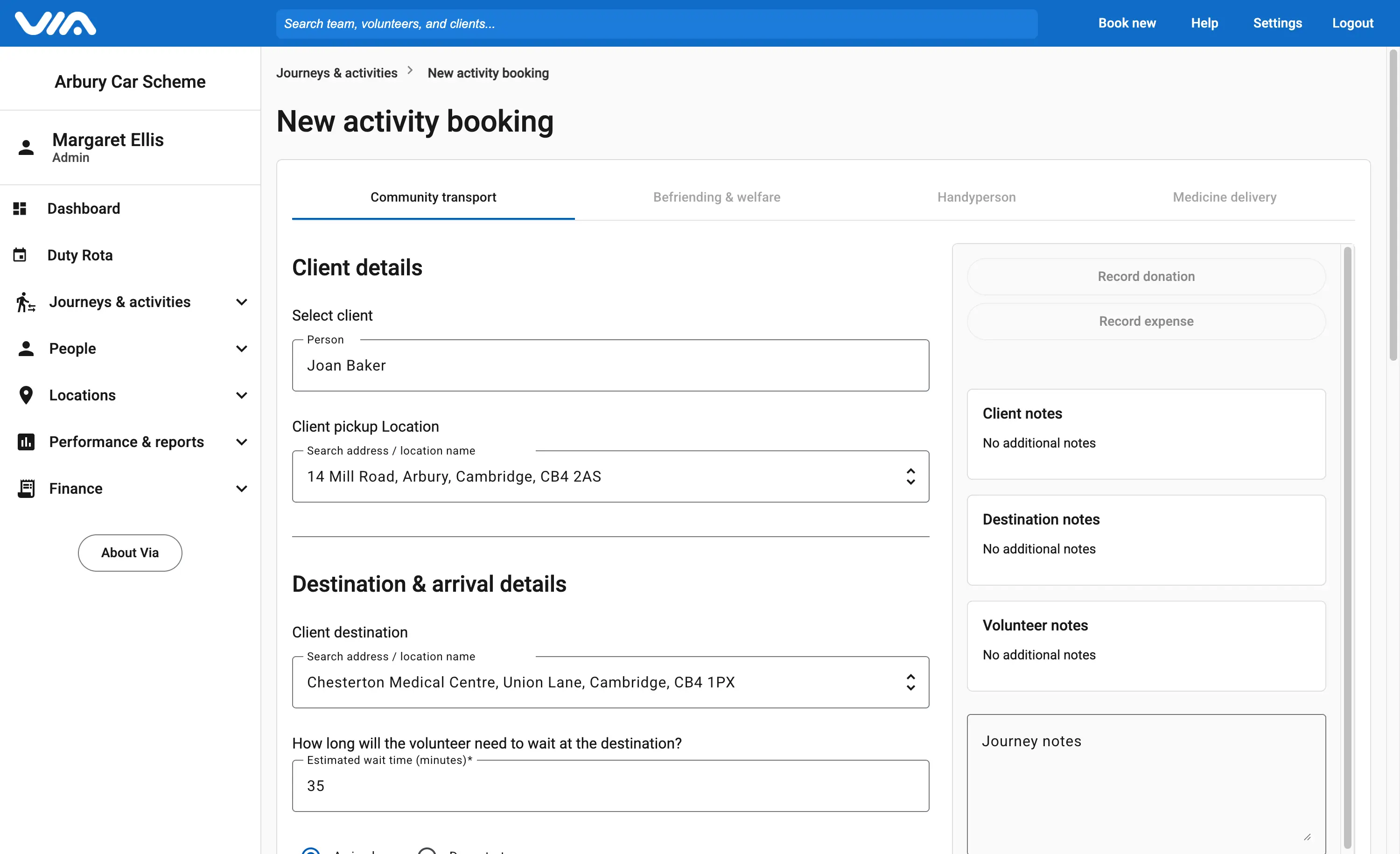
You no longer have to set someone up before you can book them in. If a passenger rings who is not on the system yet, their details go straight into the booking form while you are still on the phone — and the same goes for a volunteer you signed up this morning.
When the trip repeats, book the whole series at once. The fortnightly hospital appointment and the Tuesday lunch club are one job now, not the same form twelve times over.
The duty rota
A calendar view, and a note of what actually happened
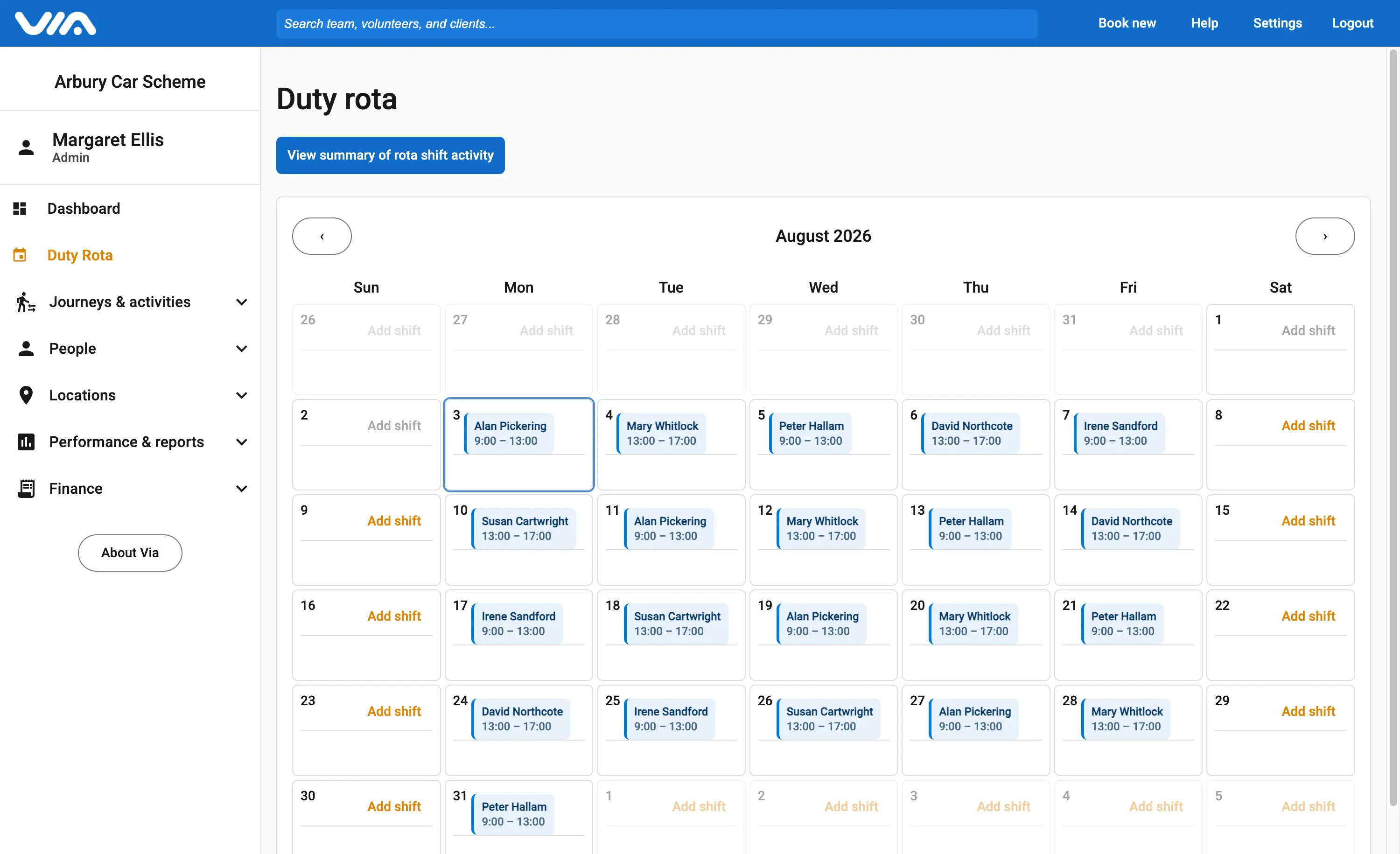
The rota now shows as a proper calendar, so a month of cover reads at a glance rather than as a list you scroll through.
Each shift can be written up when it ends: what came in, what still needs doing, and who to speak to about it. Whoever is on next reads the last one and starts the day already knowing where things stand.
Everything else that changed
Records that stay straight without being chased
Six changes to the parts of Via that hold your people, your vehicles and the messages that go out in your name.
Records you can actually keep tidy
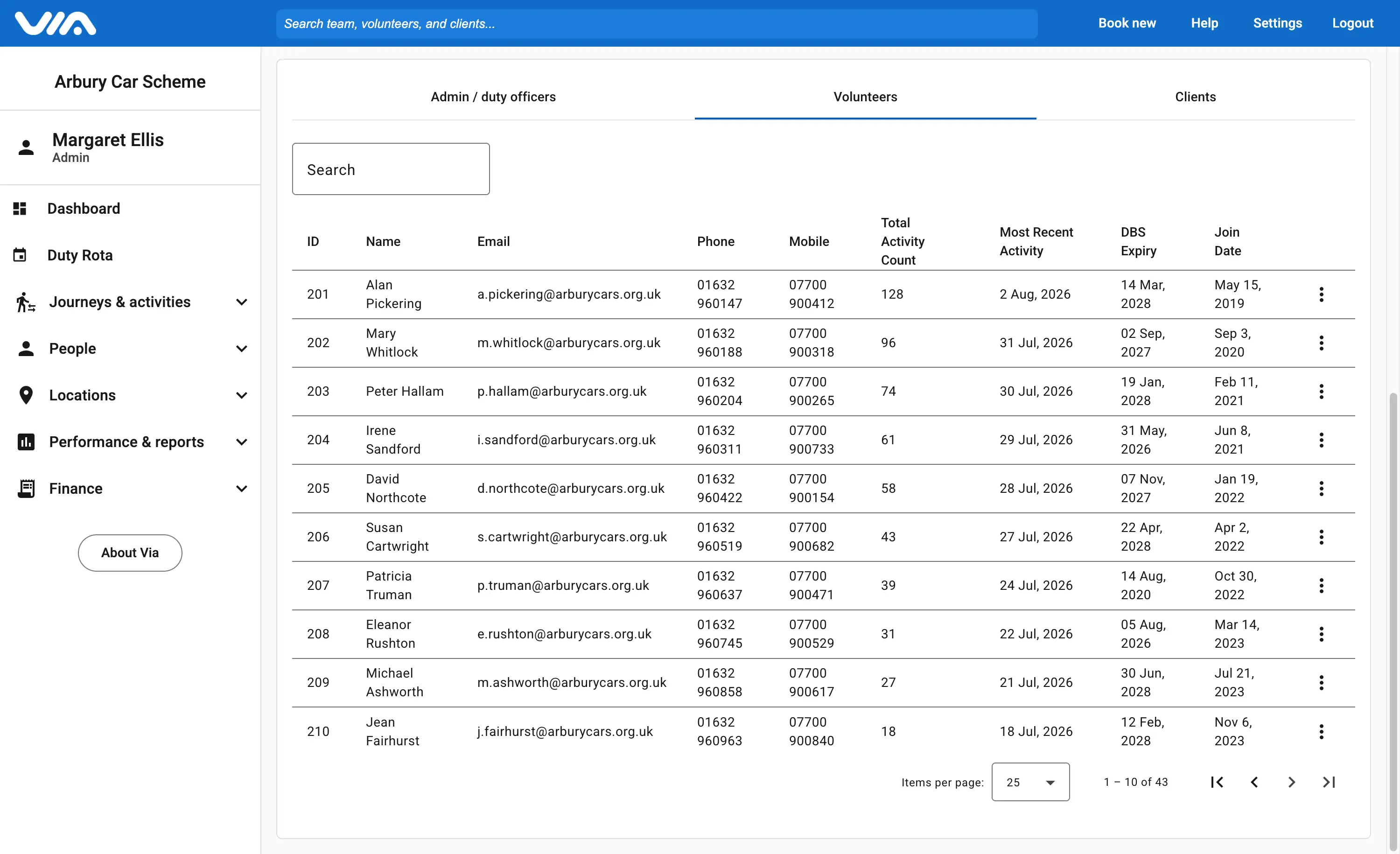
Via now surfaces the records nothing has happened on for a long while — passengers who have stopped booking, volunteers who have stopped driving. You work through them in one place, instead of discovering a dormant record at the moment you try to use it.
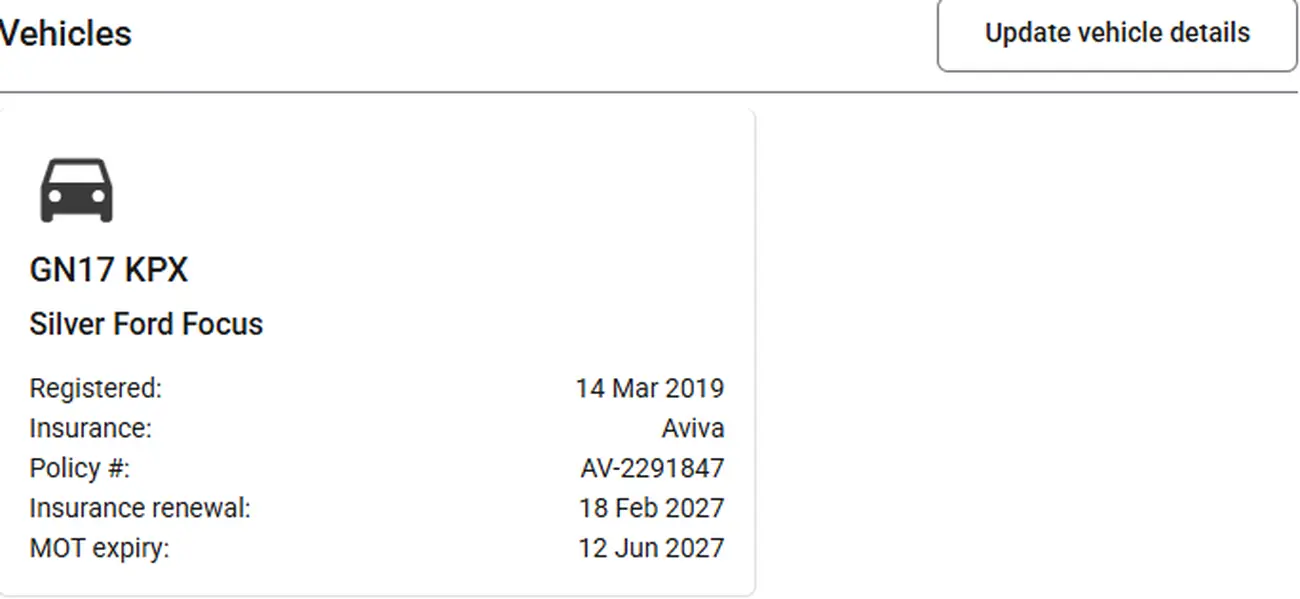
Who drives what, and whether it is still road legal
Vehicles are records in their own right now. What each one can take — a wheelchair, a walking frame, four passengers rather than two — sits against it, alongside its MOT, tax and insurance dates. Via warns you before any of them lapse, so it never rests on somebody remembering.
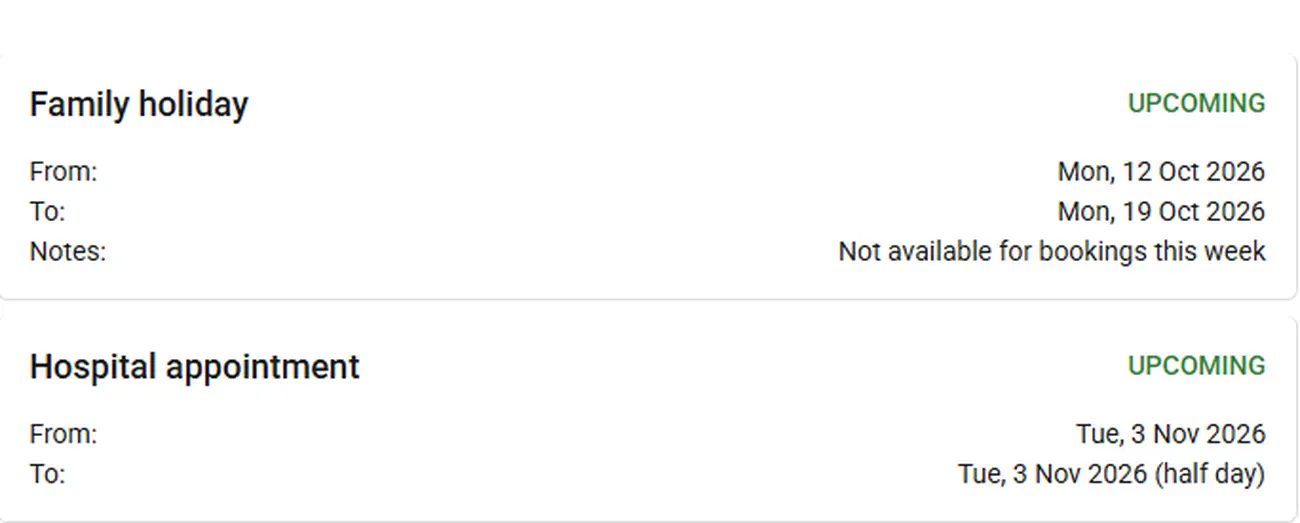
Volunteer holidays, properly tracked
Holidays sit against each volunteer and Via keeps track of them, so you are not phoning someone who told you three weeks ago they would be in Spain. When you are looking for cover, the people who cannot help are already out of the picture.
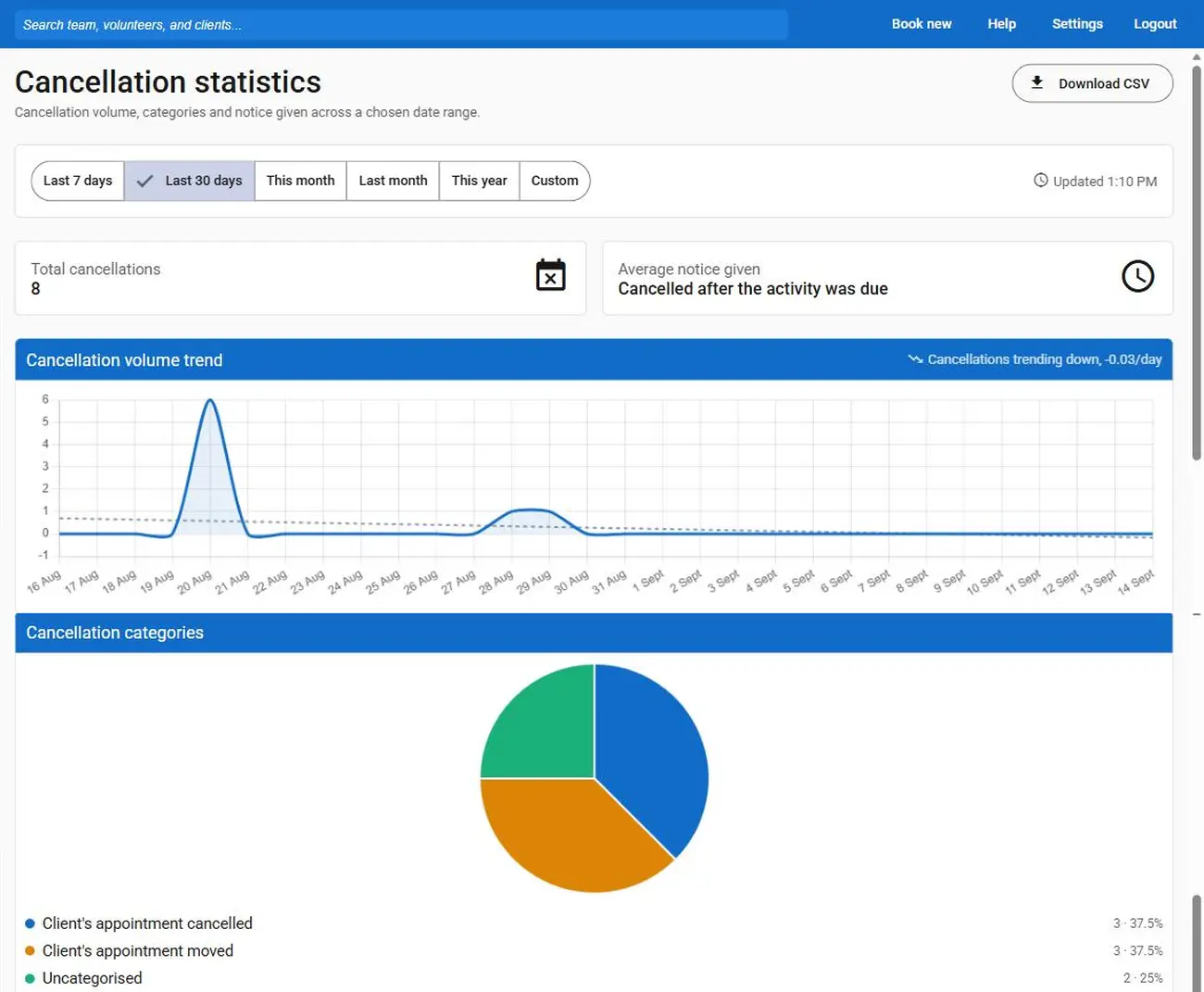
Cancellations, with the reason recorded
Every cancelled journey now carries a reason, and those reasons export like anything else. Over a year it tells you something worth knowing — whether trips fall through because passengers change their minds, because no driver could be found, or because of something you can actually do about it.
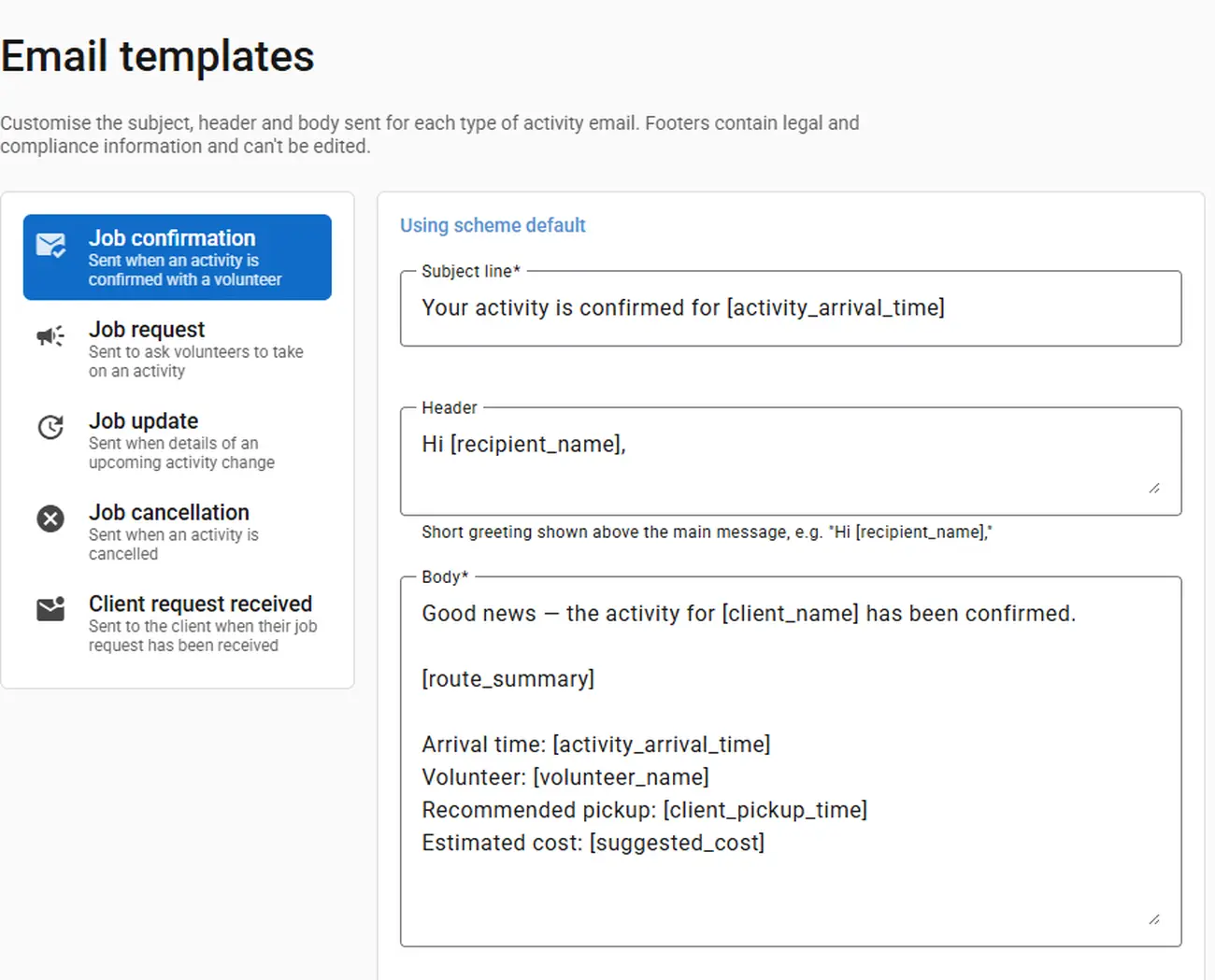
Emails that sound like your scheme
The messages Via sends on your behalf are yours now — what they say, how they look, and which details they carry. Nothing goes out in a voice your passengers and volunteers would not recognise as yours.
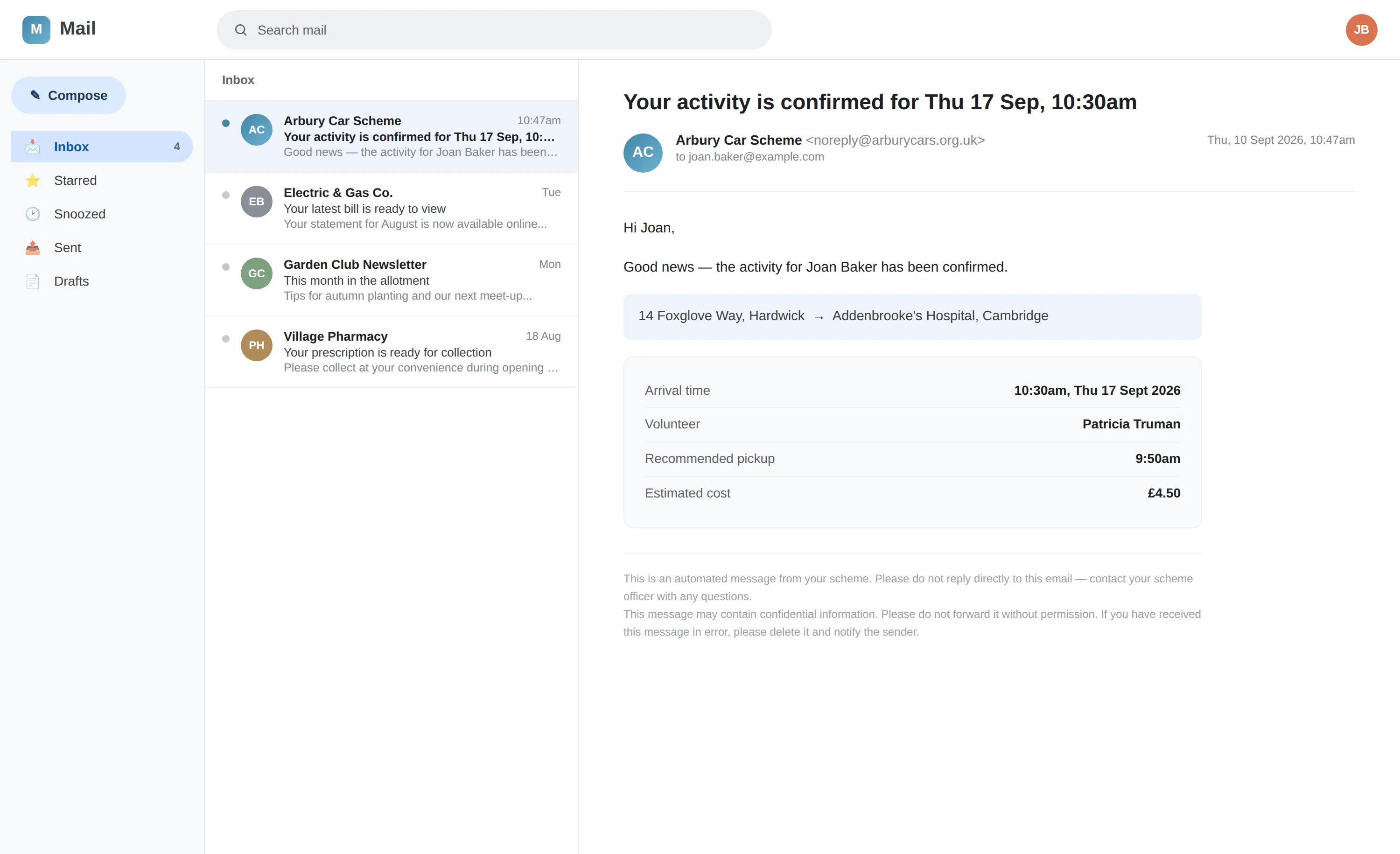
A confirmation, the moment a booking is taken
When you take a request, the passenger gets an email confirming it — what was booked, when, and where. For someone who has just rung a stranger to ask for a lift to hospital, having it in writing settles a great deal.
Reporting and money
Showing a funder exactly what you did
Most schemes live on parish and county council money, and every one of those conversations comes down to evidence. Version 4 does more of that work for you.
Where the people you serve actually are
Statistics now break your activity down by area, so you can see who you carry and which parts of your patch they live in. When a council asks what you do for its residents, that is the answer, already on a page.
Reimbursement, worked out for you
Driver mileage and expenses come out as a report rather than as a Sunday afternoon with a calculator, and the exports are shaped to go straight to whoever is paying.
Claims a council will accept
Finance reporting produces local-government-compliant reimbursement claims in seconds, with expenses, donations and the rest of the picture alongside them.
Looking after the data
You hold people's addresses and their hospital appointments
That is sensitive information about people who are often vulnerable, and version 4 treats it that way.
Built for GDPR
Version 4 supports full GDPR compliance, so the parts that fall to you are the parts that genuinely need a person to think about them.
Your data stays in the UK
Everything Via holds for your scheme is housed in the United Kingdom, on modern infrastructure held to current standards.
Encrypted, at rest and in transit
Records are encrypted on their way to Via and encrypted while they sit there. Neither is something you have to set up.
People see only what they need to
Role-based access means you decide who can do what. A coordinator, a treasurer and a driver do not need the same view of your scheme, and now they do not have to have it.
The everyday things
Small changes you will feel every time you log in
Everything, on whatever is to hand
Phone, tablet, laptop or desktop — the whole application on all of them, rather than a cut-down version on the small screen.
Light or dark, whichever is kinder
A dark mode you can switch on and off as you like. Doing the rota late in the evening is easier on the eyes for it.
A help section worth reading
Guidance across the whole application, written for the person doing the job rather than for the person who built it.
Ask for help together
The support space can now be shared with the rest of your scheme, so questions and answers are visible to everyone who needs them and outside help can be pulled in without anyone forwarding emails.
And everything version 3 did, Via 4 still does. Nothing was taken away to make room for any of the above, and the interface is as plain as it ever was — which was always the point.
What scheme organisers say about Via

Via puts everything into one place and takes the guesswork out of running our scheme.
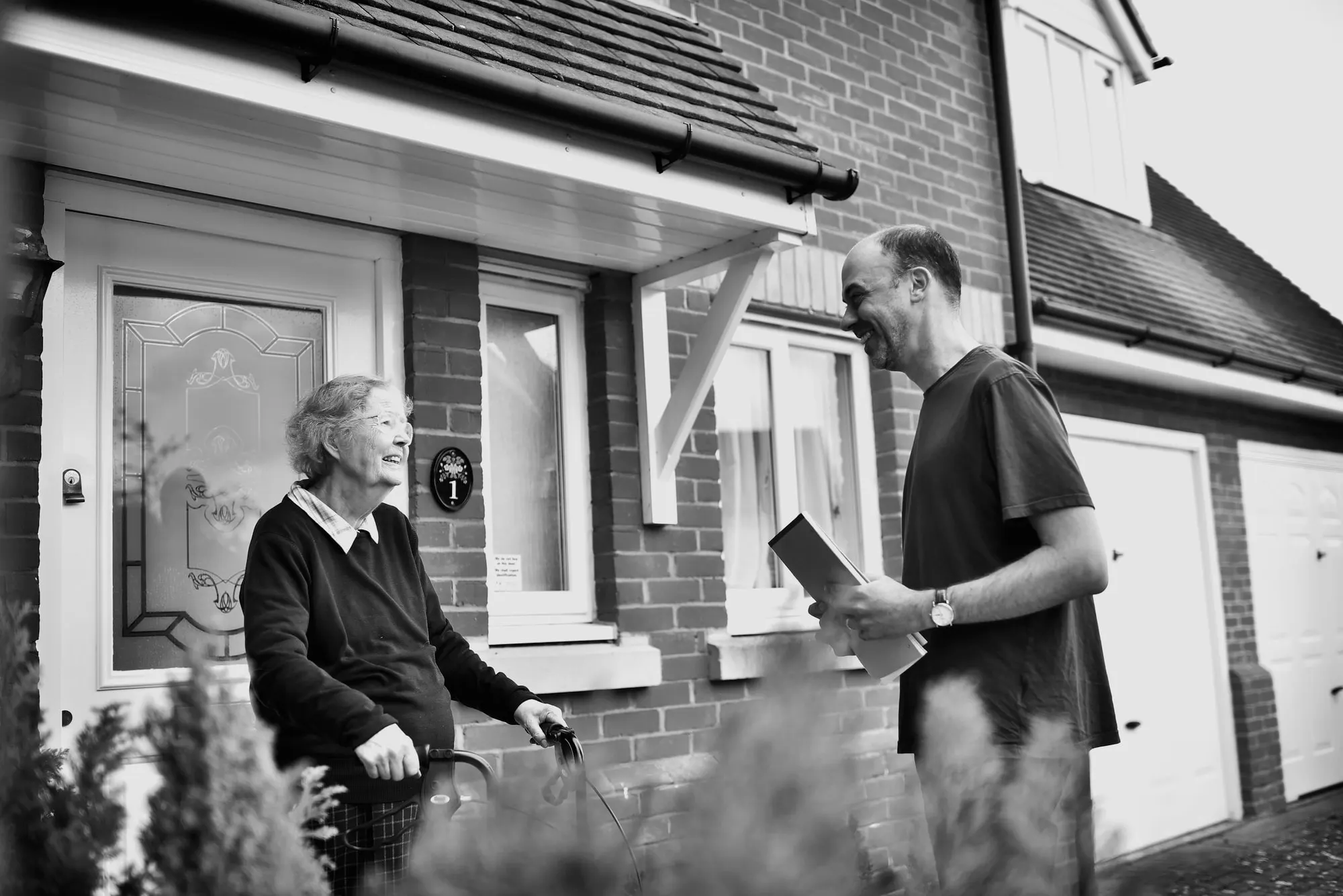
I am so pleased to see our scheme up and running. It is largely due to the ease of using your software that we have achieved as much as we have so quickly.
1 of 2
Coming next
What we are building now
Not finished, and not promised for a date — but this is where Via goes after version 4.
In development
An app for your volunteers
Drivers will be able to log in, see their own jobs, and put themselves forward for ones still needing cover — without any of it going through you first.
In development
More than lifts
Via is moving beyond community transport into the rest of what good neighbour groups do — befriending, handyperson work, medicine deliveries and the like. The same simple interface, covering more of the job.
Releasing shortly
Simple mode
A stripped-back version of Via showing just the basics, for anyone who would rather have a little less on the screen and a little more reassurance.
Have a look at it with your own scheme
Free for 3 months, no card and no salesperson. Already on Via? You are already on version 4 — there is nothing to install.
Or call 01223 912554.Monday to Friday, 9am to 5pm.